
Finding Your Ideal TECLAST Tablet in the UK: Top Recommendations
Navigating the tablet market can be a challenge. With so many options available, it's often difficult to find a device that delivers the features you need without a premium price tag. If you're looking for a capable, modern tablet that balances performance with affordability, the TECLAST range is worth your attention.
This guide is designed to help you understand what to look for in a TECLAST tablet. We will break down the key features, offer practical buying advice and present our top recommendations to help you make an informed choice, whether you're a student, a creative professional or simply need a reliable device for everyday entertainment.
Choosing the Right TECLAST Tablet: A Quick Guide
Before diving into specific models, consider these key factors to narrow down your search.
1. Screen Size and Purpose
The first thing to decide is how you plan to use your tablet. If you're a digital artist or enjoy streaming films, a large screen Android tablet offers a more immersive experience. A 14 inch tablet, for example, provides an expansive canvas for drawing or a cinema-like view for media. Conversely, a more compact 10-inch screen is lighter and more portable, making it ideal for reading, browsing and travel. Pay attention to the resolution as well; a 2K display will offer sharper text and more vibrant images than a standard HD screen.
2. Performance for Your Needs
A tablet's processor and RAM determine how smoothly it runs. For demanding tasks like digital art, multitasking with several apps or gaming, look for an octa-core processor like the MediaTek Helio G99 and a generous amount of RAM (8GB or more). Many TECLAST tablets also feature virtual RAM expansion, which uses storage space to temporarily boost memory for improved performance. For casual use like web browsing, social media and video calls, a more modest processor and 3-4GB of RAM will be perfectly adequate, making for a great budget Android tablet UK option.
3. Creative and Connectivity Features
If you're a tablet for artists, stylus support is non-negotiable. Look for models that include a drawing tablet with stylus and specify the levels of pressure sensitivity. A device with 4096-level pressure sensitivity can register subtle changes in pressure, allowing for fine lines and varied brush strokes. Also, consider your connectivity needs. Do you need to stay connected on the go? Many TECLAST models offer Dual SIM 4G LTE support, while others are Wi-Fi only. All recent models feature modern standards like 5G WiFi and Bluetooth 5.2.
Our Top Recommendations
Here are our standout selections from the current TECLAST lineup, each catering to a different user need.
TECLAST ArtPad Pro Tablet
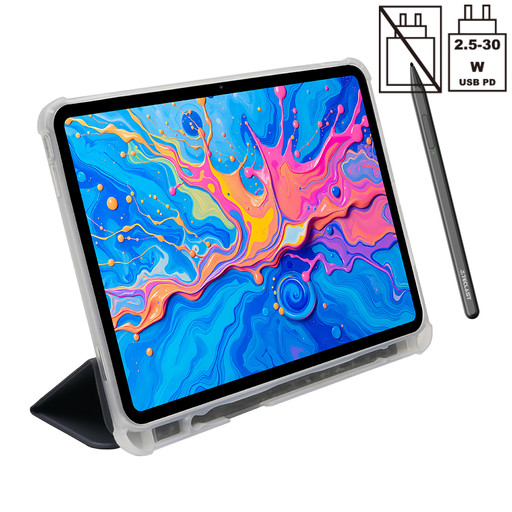
Why It Stands Out: The ArtPad Pro is built for creativity. It combines a high-resolution display with precise stylus support, making it an excellent tool for digital artists and note-takers who need performance without the hefty price of professional-grade equipment.
Pros:
- Creative Precision: Comes with a T-Pen stylus and supports 4096-level pressure sensitivity for detailed drawing and writing.
- Vibrant Display: The 12.7-inch 2K display provides a large, sharp and colourful canvas for art and media.
- Strong Performance: Powered by the Helio G99 octa-core processor and 20GB of RAM (8GB + 12GB virtual), it handles demanding creative apps with ease.
- All-Day Battery: A large 10,000mAh battery ensures you can work or play for hours without needing to recharge.
- Fully Connected: Features Dual SIM 4G LTE and 5G WiFi for reliable connectivity anywhere.
Who is it for? Digital artists, designers, students and professionals looking for a high-performance Android 15 tablet for drawing, note-taking and multitasking.
Teclast T70 Tablet
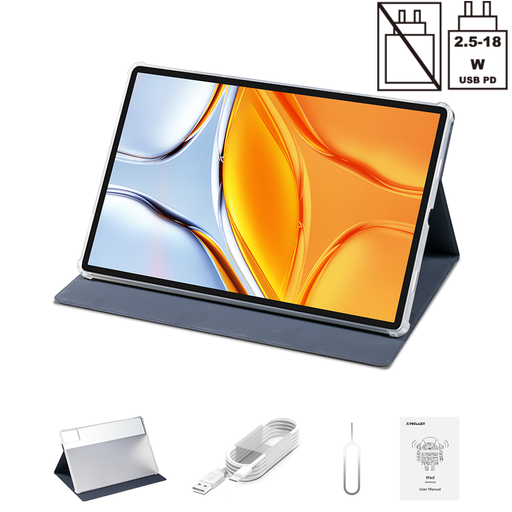
Why It Stands Out: The T70 is all about immersive entertainment. Its massive 14-inch screen is one of the largest available in this price bracket, making it an outstanding device for watching films, browsing websites and managing documents.
Pros:
- Expansive Screen: The huge 14-inch 1920x1200 display is perfect for media consumption and split-screen multitasking.
- Powerful Internals: It shares the same capable Helio G99 processor and 20GB RAM configuration as the ArtPad Pro, ensuring a fluid user experience.
- Long-Lasting Power: The 10,000mAh battery with 18W charging keeps the large screen powered up for extended viewing sessions.
- High-Quality Streaming:Widevine L1 support allows for HD streaming from services like Netflix and Prime Video.
- Flexible Connectivity: Includes both Dual SIM 4G LTE and dual-band Wi-Fi.
Who is it for? Media lovers, families and professionals who want a large-screen device for watching videos, reading and light productivity tasks on an Android 15 tablet.
TECLAST P33 New Tablet
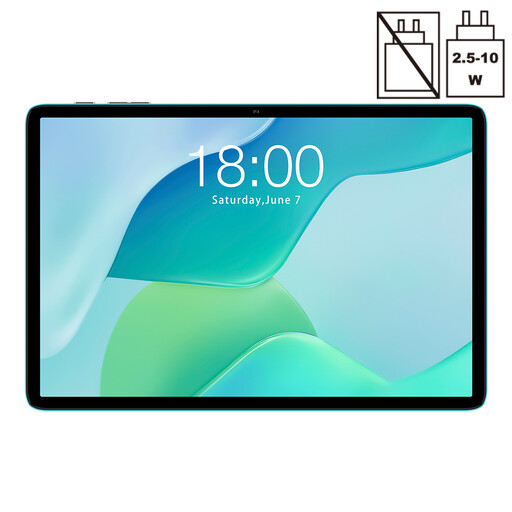
Why It Stands Out: The P33 is the definition of a cheap tablet that doesn't feel cheap. It offers all the essential features for daily use in a lightweight, portable package, making it a fantastic entry-level option or a secondary device for the family.
Pros:
- Excellent Value: Provides a full tablet experience at a highly accessible price point.
- Clear Display: The 10.1-inch IPS display is bright and clear, ideal for browsing, reading and watching videos.
- Modern OS: Comes with Android 15, ensuring access to the latest features and security updates.
- Sufficient Performance: The penta-core processor and 9GB of RAM (3GB + 6GB virtual) are well-suited for everyday tasks like email, social media and web browsing.
- Portable Design: Weighing just over 500g, it's easy to carry and use anywhere.
Who is it for? Users on a tight budget, children or anyone needing a simple and reliable tablet for light, everyday activities.
Looking for Other Options?
If these models aren't quite what you're looking for, or if you're interested in exploring devices with different hardware specifications, there are many other tablets to discover. A good place to start is by exploring different processor configurations to match your performance needs.
? Explore more tablets with a dual core processor and other configurations here.
Frequently Asked Questions (FAQ)
1. Are TECLAST tablets good for drawing? Certain models are specifically designed for it. The TECLAST ArtPad Pro, for instance, is an excellent drawing tablet with stylus support, offering 4096 levels of pressure sensitivity that allows artists to create detailed and nuanced work. Always check the product specifications for stylus compatibility and pressure sensitivity levels.
2. Can you use a SIM card in a TECLAST tablet? Yes, many TECLAST tablets, including the ArtPad Pro and T70 models, come with Dual SIM 4G LTE slots. This allows you to insert a SIM card for mobile data and make calls, so you can stay connected even when you're away from a Wi-Fi network.
3. What is the latest Android version on TECLAST tablets? Newer models, such as the 2025 editions of the ArtPad Pro, T70 and P33, come pre-installed with Android 15. This provides a clean, modern interface and access to the latest security patches and software features from Google.