What matters when choosing
For a household streaming television alongside phones and connected-home devices, establish an orderable incoming connection before deciding how to distribute it around the home.
Fixed-broadband upgrade
Consider it when: A provider confirms that an upgrade can be installed at the address and offers service that meets the household’s needs.
Keep in mind: Ofcom’s availability information is a starting point; confirm the orderable service and expected performance with the provider.
4G/5G home router
Consider it when: Testing shows that a mobile network works at the intended router position and a suitable home-use plan is available.
Keep in mind: Ofcom cautions that predicted coverage can differ from reception at the property; the SIM tariff also needs to fit household data use.
Satellite broadband
Consider it when: Fixed and mobile options cannot provide a dependable household connection and service is available at the address.
Keep in mind: Starlink warns that obstructions can interrupt service; check the proposed dish position and any permissions before ordering.
| Concern | What to check | Who this matters to |
|---|
| Availability at the address |
Use Ofcom’s broadband checker, then ask providers which services they can install at the property. |
I do not want to buy equipment for a connection I cannot order. Roughly 21% of consumers put address-level availability first. |
| Mobile reception |
Compare networks using Ofcom’s mobile checker and test a candidate SIM at the intended router position; predictions are not a guarantee of indoor reception. |
If the signal drops where my router must sit, a 5G label will not settle the choice. For roughly 26% of consumers, dependable reception is the primary concern. |
| Streaming data and plan terms |
Estimate viewing hours and simultaneous streams; check the exact SIM tariff’s allowance, home-router use and traffic-management terms. |
Regular television streaming makes me wary of choosing a tariff that restricts sustained home use. Around 26% of consumers put data capacity and plan terms first. |
| Wi-Fi across the home |
Check router placement, wired connections and compatible mesh options after establishing the incoming service. |
My television and connected devices are in different rooms, so the connection must reach where they are used. Whole-home distribution comes first for roughly 16% of consumers. |
| Installation constraints |
Check antenna compatibility or satellite sky visibility, along with any property-owner consent and applicable installation rules. |
I may need equipment outside, but an obstructed position or permission requirement could change what I can install. Roughly 11% of consumers prioritise installation feasibility. |
Joybuy products for the cellular route
This router is relevant if testing identifies a usable mobile network at the home. Check its compatibility and the SIM plan before relying on it for household streaming and connected devices.
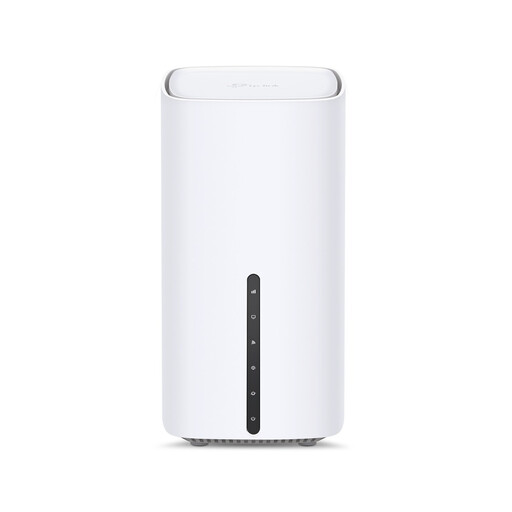 Image unavailable
TP-Link Archer NX500 5G AX3000 Dual-Band Gigabit Router
Consider this router where a tested mobile connection can serve the household. It has dual-band wireless and Gigabit networking; check its cellular bands against the chosen network and confirm that the SIM plan fits expected streaming use.
Joybuy
Questions about rural home internet
Should I buy a 5G router before checking my address?
Check the address first. Ofcom’s broadband and mobile checkers can narrow down fixed services and likely mobile coverage, but test a candidate network at the property before committing to a router and plan.
How much data could television streaming use?
Usage depends on viewing quality, hours and the number of screens. Netflix lists up to 1 GB per hour per device for SD, 3 GB for HD and 7 GB for 4K; use the household’s viewing pattern and other connected-device use to assess a plan’s allowance.
Does an unlimited mobile plan allow unrestricted home use?
Not necessarily: check the exact tariff’s home-router and traffic-management terms. Three says its UK unlimited offers have no data caps or fair-use policy, while EE’s January 2021 terms for Pay Monthly Unlimited Data Plans describe usage above 600 GB per month as potentially non-personal, with possible deprioritisation during busy periods. Check the current terms of the plan you intend to use.
When should I add an external antenna to a 4G/5G router?
Consider one after testing shows that a compatible router cannot obtain a strong enough signal on its own. TP-Link advises checking frequency bands, connectors and the required settings for its 4G/5G Deco models; an antenna cannot replace checking the selected network’s local coverage.
Do I need permission for an external antenna or satellite dish?
Check before installing, because requirements depend on the property and UK nation. For England, the Planning Portal advises checking whether planning permission, listed-building consent or landlord or owner permission is needed, with planning treatment depending on the building and area. Confirm the applicable position with the property owner and relevant local authority.
