
How to Choose the Right Portable Monitor in 2026: Our Top Recommendations
Working from a single laptop screen can feel restrictive. Juggling multiple windows, constantly switching between documents and spreadsheets and trying to follow a video call while taking notes is a common frustration for remote workers, students and anyone on the move. A portable monitor offers a simple and effective solution, giving you the productivity boost of a dual-screen setup wherever you are.
As a Joybuy Product Recommendation Officer, my role is to help you navigate the options and find a device that genuinely suits your needs. This guide will walk you through the key features to consider and present our top recommendations for 2026, helping you create a more flexible and efficient workspace.
Key Features to Consider Before You Buy
Choosing the right portable display comes down to a few key factors. Understanding these will ensure you select a model that integrates seamlessly with your workflow and devices.
Connectivity: The All-Important Cable
How a monitor connects to your laptop is perhaps the most important consideration.
- USB Type-C: This is the modern standard. A single USB C monitor connection can often handle both power and video transmission from your laptop, meaning fewer cables to carry. Ensure your laptop's USB-C port supports DisplayPort Alternate Mode for this to work.
- HDMI (usually Micro or Mini): A common port for video. If a portable monitor uses HDMI, it will likely require a separate cable for power, usually via a USB port.
- USB-A: Some models connect via a standard USB 3.0 port, which requires a specific driver (DisplayLink) to be installed on your laptop. This is a good option for older laptops without USB-C or HDMI outputs.
Display Quality: Resolution and Panel Type
The clarity and colour of your second screen for laptop use are crucial for comfortable viewing.
- Resolution: Full HD (1920 x 1080 pixels) is the standard for sharp text and clear images. More affordable models may offer HD resolution (1366 x 768), which is sufficient for basic tasks like word processing but less ideal for detailed work or media.
- Panel Type: IPS (In-Plane Switching) panels offer superior colour accuracy and wider viewing angles, meaning the picture looks consistent even when viewed from the side. TN (Twisted Nematic) panels are typically more affordable and have faster response times but offer narrower viewing angles.
- Size: A 15.6 inch portable monitor is a popular choice as it strikes a good balance between screen space and portability, often matching the size of a standard laptop.
Portability and Power
The primary appeal of a travel monitor is its convenience. Pay attention to its weight and how it's powered. A lightweight monitor under 1 kg is easy to slip into a backpack. Most models are powered by your laptop, but some include a built-in battery, offering true off-grid functionality for your mobile monitor setup.
Our Top Recommendations for Portable Monitors in 2026
Here are a few standout models that cater to different needs and budgets, selected for their practical features and reliable performance.
ASUS ZENSCREEN MB166C IPS FHD
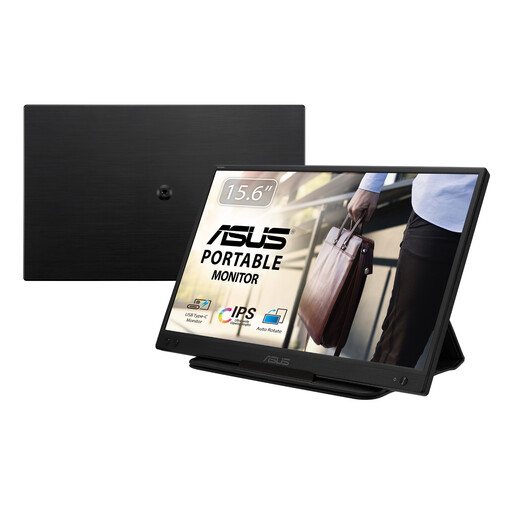
Why It Stands Out The ZenScreen MB166C is built for simplicity and efficiency. Its main appeal is the single USB-C cable that handles both power and video, eliminating clutter. The Full HD IPS panel ensures a crisp, vibrant picture with wide viewing angles, making it great for both individual work and sharing your screen with a colleague.
-
Pros:
- Single USB-C cable for power and video.
- Sharp 1920 x 1080 Full HD IPS display.
- Very lightweight at only 780 g.
- Anti-glare screen and eye-care technology to reduce strain.
-
Who is it for? This model is ideal for remote workers, consultants and students who want a straightforward, high-quality portable monitor for laptop use without the fuss of extra power adapters.
View Details for ASUS ZENSCREEN MB166C
ASUS ZenScreen Go MB16AHP FHD
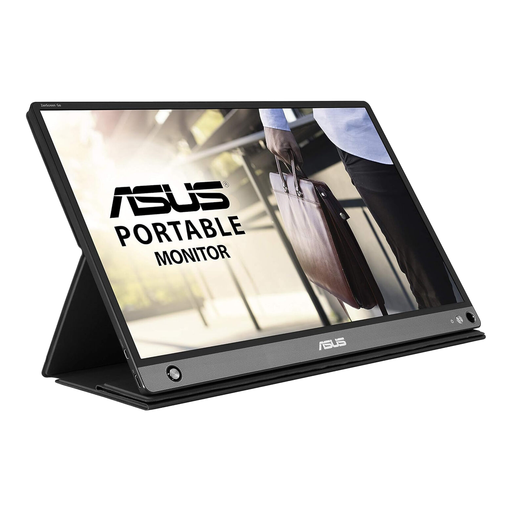
Why It Stands Out The ZenScreen Go MB16AHP offers ultimate flexibility with its built-in 7800 mAh battery, which provides up to four hours of use without draining your laptop. This, combined with versatile connectivity via both USB-C and Micro-HDMI, makes it a truly independent mobile monitor. It even includes built-in speakers and an auto-rotate sensor for seamless switching between portrait and landscape modes.
-
Pros:
- Built-in battery for true portability.
- Flexible connectivity with USB-C and Micro-HDMI.
- Auto-rotate sensor for portrait and landscape viewing.
- Includes dual 1W stereo speakers.
-
Who is it for? Digital nomads, frequent travellers and professionals who often work or present in locations without easy access to power will find the battery-powered freedom of the ASUS ZenScreen Go invaluable.
View Details for ASUS ZenScreen Go MB16AHP
ASUS ZENSCREEN MB165B HD
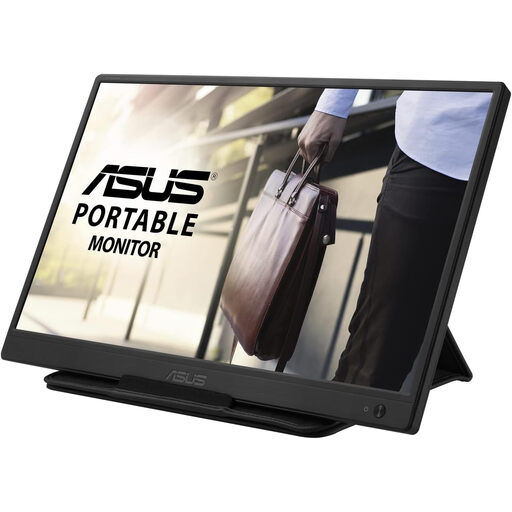
Why It Stands Out This refurbished model focuses on core functionality and affordability. It connects and powers on with a single USB-A cable, making it compatible with a wide range of laptops, including older ones. While its 1366 x 768 HD resolution is more basic, it is perfectly adequate for tasks like managing emails, writing documents or referencing data. At just 780g, it remains exceptionally portable.
-
Pros:
- Connects via a single USB cable for power and data.
- Excellent value as a refurbished unit.
- Extremely lightweight and slim design.
-
Who is it for? This is a great entry-point for students or professionals on a budget who need a simple, reliable second screen for everyday productivity tasks and prioritise compatibility with older devices.
View Details for ASUS ZENSCREEN MB165B
Looking for More Options?
If our recommendations don't quite match what you're looking for, or if you'd like to explore a wider range of models with different features, we have more to see. Discover our full collection of screen extenders to find the perfect fit for your needs and budget.
Frequently Asked Questions
Do portable monitors need their own power supply? Not always. Many modern portable monitors, like the ASUS ZenScreen MB166C, draw power directly from your laptop through a single USB-C cable. Some, like the ZenScreen Go MB16AHP, feature a built-in battery for use away from any power source, while others may require a separate USB cable for power if connected via HDMI.
Can I connect a portable monitor to any laptop? Compatibility depends on your laptop's available ports. For the simplest plug-and-play experience, a laptop with a USB-C port that supports DisplayPort Alt Mode is ideal. However, models with HDMI or USB-A connectivity options provide compatibility for a wider range of older and newer devices. Always check your laptop's specifications and the monitor's connection requirements.
Is a portable monitor a good investment for students? Yes, it can be a very practical tool. A second screen makes it much easier to write an essay while referencing research papers, watch an online lecture while taking notes, or collaborate on a group project. A lightweight, USB-powered model is often a cost-effective and convenient choice for enhancing productivity between the library, home and campus.