
How to Choose the Right microSD Card for Your Device
Running out of storage on your phone again? Finding that your new drone's 4K video footage is choppy? Or perhaps you're tired of long loading screens on your handheld gaming console. A tiny microSD card can solve these problems, but navigating the sea of technical jargon—UHS-I, V30, A2, microSD Express—can be confusing.
As the Joybuy Product Recommendation Officer, my role is to help you cut through the jargon. This guide provides clear, practical advice to help you choose a microSD card that fits your device, your needs and your budget, ensuring you get the performance you pay for.
How to Choose a microSD Card: A Quick Guide
Before you add a card to your basket, consider these key factors. Getting it right means you won't overspend on features you don't need or be disappointed by poor performance.
1. Capacity: How Much Space Do You Really Need?
Capacity is the first thing most people look at, and it's easy to think bigger is always better. However, the right capacity depends entirely on how you'll use it.
- For Everyday Use (up to 128GB): If you just need to offload some photos from your Android phone or store a few extra apps, a 64GB or 128GB card is often sufficient.
- For Gamers and Content Creators (256GB - 512GB): A 256GB microSD card is a popular choice for handheld consoles like the Nintendo Switch, holding a good number of games. If you're a serious gamer or shoot a lot of high-resolution photos and 4K video, a 512GB microSD card provides the headroom you need to avoid constantly managing files.
- For Professionals (1TB and above): These are for users who record long-form 4K or 8K video, such as professional drone pilots or videographers.
2. Speed: Decoding the Ratings
A card's speed is crucial for smooth performance. A slow card can cause lag when running apps, dropped frames in video and long game-loading times. Here are the key speed ratings to look for:
- Speed Class (C10): This is the baseline. Any card you consider today should be at least Class 10, which is suitable for Full HD video recording.
- UHS Speed Class (U1, U3): Most modern cards are UHS-I memory cards. U1 supports Full HD, while U3 is required for reliable 4K video memory card performance.
- Video Speed Class (V30, V60, V90): This rating is specifically for video. A V30 card is a great standard for most 4K recording on an action camera microSD or drone. V60 and V90 are for higher-end professional cameras.
- Application Performance Class (A1, A2): If you plan to run apps from your microSD card for an Android phone, look for an A1 or A2 rating. A2 offers faster random read/write speeds, leading to a smoother app experience.
- microSD Express: The newest standard, a microSD Express card uses PCIe technology (similar to an SSD) for incredibly fast speeds, perfect for next-generation devices and demanding applications.
3. Compatibility: Match the Card to Your Device
Always check your device's specifications before buying. Most modern smartphones, drones and consoles support the microSDXC standard, which covers all cards from 64GB to 2TB. However, older devices may only support microSDHC (up to 32GB).
Furthermore, to get the maximum speed from a card, your device must support its speed class. For example, a new microSD Express card will work in a standard UHS-I slot, but its speed will be limited to that of the older interface.
Top microSD Card Recommendations
Here are a few standout options that cater to different needs, from high-performance content creation to everyday storage expansion.
Samsung Micro SD T9 512GB
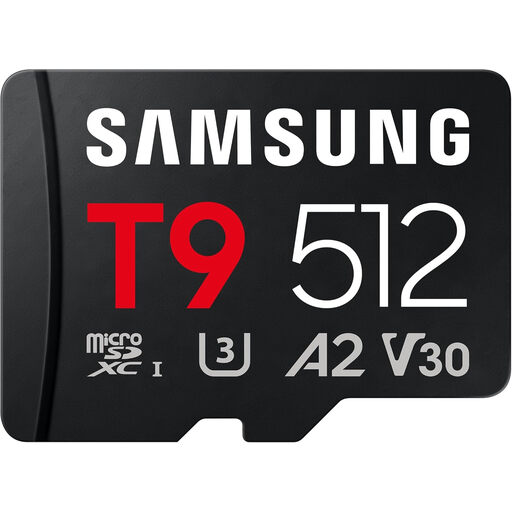
Why It Stands Out The Samsung T9 is a high-performance UHS-I card that delivers impressive speed and reliability for demanding tasks. It combines fast transfer rates with the crucial V30 and A2 ratings, making it a versatile workhorse for creators and gamers who need a fast memory card that won't let them down.
Pros
- Fast Performance: With read speeds up to 200MB/s and write speeds up to 130MB/s, it handles 4K video and large file transfers with ease.
- Highly Rated: Features U3, V30 and A2 ratings, ensuring smooth 4K video capture and fast application performance.
- Durable Design: Built with Samsung's 6-proof protection, it's designed to withstand water, extreme temperatures, drops and more.
Who is it for? This is an excellent choice for content creators using a microSD card for a drone or action camera, as well as gamers looking for a responsive gaming microSD card for current-generation consoles.
Samsung MicroSD 512GB P9 Express
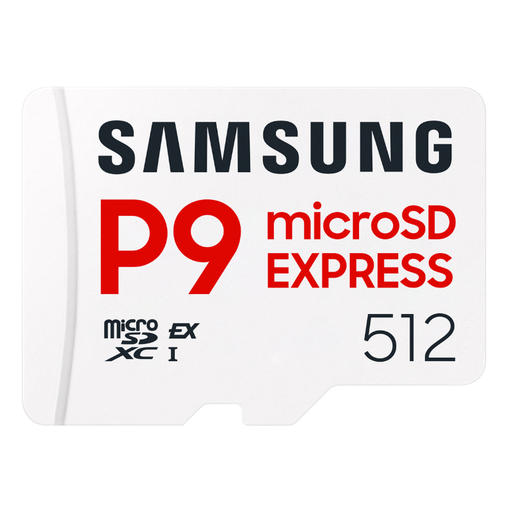
Why It Stands Out The Samsung P9 represents the future of removable storage. As a microSD Express card, it leverages PCIe technology to deliver speeds that are several times faster than traditional UHS-I cards. It’s built for next-generation devices that demand SSD-like performance in a tiny form factor.
Pros
- Next-Generation Speed: Achieves sequential read speeds of up to 800 MB/s in compatible devices, dramatically reducing game load times and file transfers.
- Optimised for Gaming: Features Dynamic Thermal Guard to maintain stable performance during long gaming sessions.
- Backward Compatible: While it shines in an SD Express slot, it can also function in standard UHS-I devices, offering flexibility.
Who is it for? This card is for tech enthusiasts and gamers with next-generation hardware, such as the upcoming Nintendo Switch 2, who want to future-proof their setup and experience the absolute fastest loading speeds possible.
View the Samsung P9 Express 512GB
SANDISK Ultra microSDXC 256GB + SD Adapter
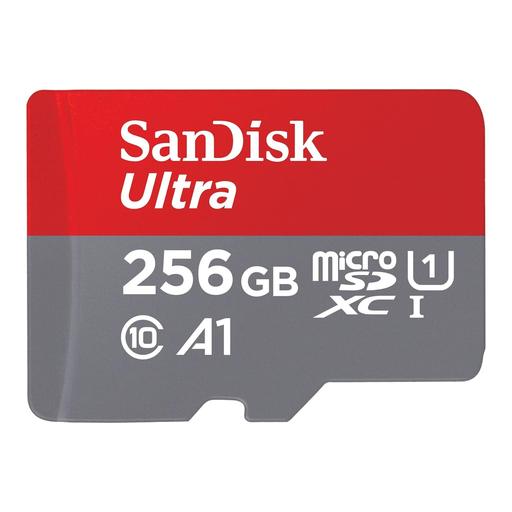
Why It Stands Out The SanDisk Ultra is a dependable and cost-effective solution for expanding storage on everyday devices. Its A1 rating makes it particularly well-suited for Android users who want to free up internal memory without sacrificing app performance. The included SD adapter adds a layer of versatility.
Pros
- Optimised for Apps: The A1 rating ensures apps load faster and run more smoothly directly from the card.
- Great Value: Offers a generous 256GB of storage and solid performance at an accessible price point.
- Versatile: Comes with an SD adapter, making it compatible with a wide range of devices, from cameras to laptops.
Who is it for? Ideal for Android smartphone and tablet users looking for a simple storage upgrade. It's also a reliable choice for casual photographers and anyone needing a versatile, all-purpose card.
Looking for Other Options?
If these recommendations don't quite match what you're looking for, or if you need a card with a different capacity or specific features for photography, we have a wider selection available.
Explore our full range of memory cards for cameras and more
Frequently Asked Questions
What's the difference between microSDHC and microSDXC?
The main difference is storage capacity. microSDHC (High Capacity) cards range from 4GB to 32GB. microSDXC (Extended Capacity) cards range from 64GB all the way up to 2TB. Most modern devices, including smartphones and gaming consoles, require microSDXC cards to support larger storage sizes. Always check your device's manual for compatibility.
Can I use any microSD card for my Nintendo Switch?
The Nintendo Switch, Switch Lite and Switch OLED models all support microSDXC cards. To ensure fast game loading times, it is advisable to choose a UHS-I memory card with a high read speed (90MB/s or faster). A gaming microSD card with an A1 or A2 rating can also help with the performance of games stored on the card.
Do I need a V90 card for 4K video?
For most users, a V90 card is overkill. A card with a V30 rating is perfectly capable of recording high-quality 4K UHD video on most consumer devices, including drones, action cameras and mirrorless cameras. V60 and V90 cards are generally reserved for professional cinema cameras that record at extremely high, uncompressed bitrates.