
How to Choose a Car Diagnostic Scanner Without Paying for Features You Cannot Use
A warning light on the dashboard can turn a routine journey into an expensive visit to a garage. For DIY car owners, mobile mechanics and used-car buyers, a car diagnostic scanner can reveal stored fault codes, display live data and support selected maintenance tasks.
However, choosing the right tool is not simply a matter of selecting the model with the longest feature list. Marketing descriptions often combine basic code reading with advanced functions that may only work on particular makes, models and control modules. The following guide explains what to check before buying an OBD2 scanner, along with practical recommendations for different users.
Common car diagnostic scanner buying pitfalls
1. Confusing code reading with full-system diagnostics
A basic OBD2 code reader generally focuses on the engine and emissions system. It may read and clear engine fault codes, show freeze-frame data and check I/M readiness.
That does not necessarily mean it can access the ABS, SRS, transmission, TPMS, body control or air-conditioning modules. If you want to investigate warning lights beyond the engine, look specifically for “full-system” or “all-system” diagnostics rather than relying on the term automotive diagnostic tool alone.
2. Assuming every reset or active test works on every vehicle
Functions such as oil reset, battery registration, electronic parking brake reset, injector coding and DPF regeneration are manufacturer- and model-dependent. A scanner may include the function in its menu but not support it on your particular vehicle.
Similarly, a bidirectional scan tool or active test scanner sends commands to selected actuators, such as cooling fans, door locks or windows. The available tests vary by ECU and vehicle specification. Check compatibility using your car’s make, model, engine and VIN before purchasing.
3. Overlooking update and access costs
A low purchase price can become less attractive if advanced features require an annual software subscription. Some products provide lifetime updates for standard diagnostics, while others include a limited update period and then require renewal for continued access to brand-specific functions.
Also check whether FCA AutoAuth access, online coding or other manufacturer services require separate registration or payment. “FCA AutoAuth support” does not mean the authorisation account is included.
Key specifications to check before buying
OBD2, EOBD and vehicle coverage
Most modern passenger cars use a standard diagnostic socket, but the communication protocols and supported modules still differ. A suitable vehicle diagnostic scanner should clearly state its supported vehicle range and whether it covers petrol, diesel, hybrid or light commercial vehicles.
For everyday fault finding, check for:
- Read and clear diagnostic trouble codes.
- Live data and freeze-frame information.
- I/M readiness and onboard monitor tests.
- VIN identification and diagnostic reports.
- Support for the makes and models in your household or customer base.
A used-car buyer may only need a car fault code reader with live data, while a garage is more likely to benefit from broader system coverage.
CAN FD and DoIP support
Newer vehicle networks may use CAN FD, which allows larger data frames and higher data rates than traditional CAN. DoIP, or Diagnostics over Internet Protocol, uses Ethernet-based communication on supported vehicles.
These protocols can improve compatibility with newer cars, but their presence does not guarantee access to every advanced function. Treat CAN FD and DoIP as useful compatibility features, then confirm the exact vehicle coverage separately.
Resets, coding and bidirectional control
If you plan to carry out maintenance at home, prioritise the functions you will genuinely use. A service reset tool may support oil, EPB, BMS, SAS, TPMS or throttle resets. A ECU coding scanner may offer module adaptation or customisation on selected vehicles.
For coding and active tests, use a stable battery maintainer where recommended. Interrupting a coding procedure or operating an actuator without following the vehicle’s instructions can create additional faults. These tools provide access to functions; they do not replace repair information or safe working procedures.
Our Top Recommendations by user profile
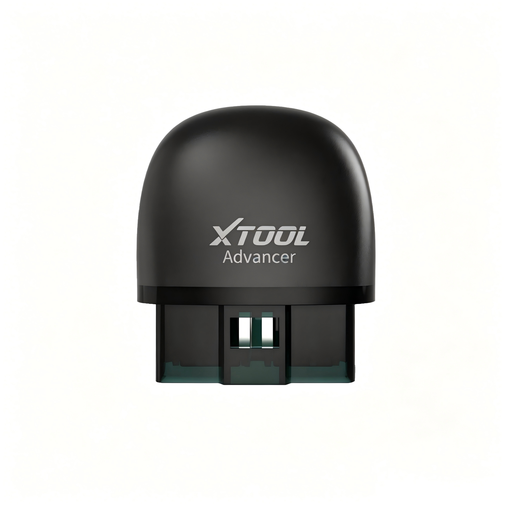
XTOOL AD20 Pro OBD2 Scanner
Why This Fits Their Persona: A compact Bluetooth OBD2 scanner for drivers who want phone-based checks, full-system scanning and routine maintenance features without a continuing subscription for standard diagnostics.
Its listing states free updates and unlimited vehicle scanning for standard diagnostics, helping avoid a three-vehicle or annual-fee restriction.
Wireless iOS and Android operation, CAN FD hardware, oil reset, battery monitoring and live data display.
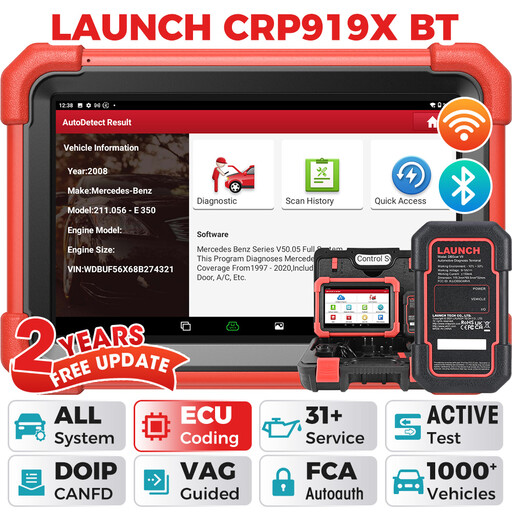
LAUNCH X-431 CRP919X BT Wireless Diagnostic Tool
Why This Fits Their Persona: A tablet-style option for independent garages and technically confident users who need more than a basic OBD2 diagnostic tool.
The listing separates its two-year free update period from ongoing use, making the renewal position clearer than vague “lifetime access” wording.
Full-system diagnostics, active tests, ECU coding, 31 reset services, CAN FD and DoIP support.
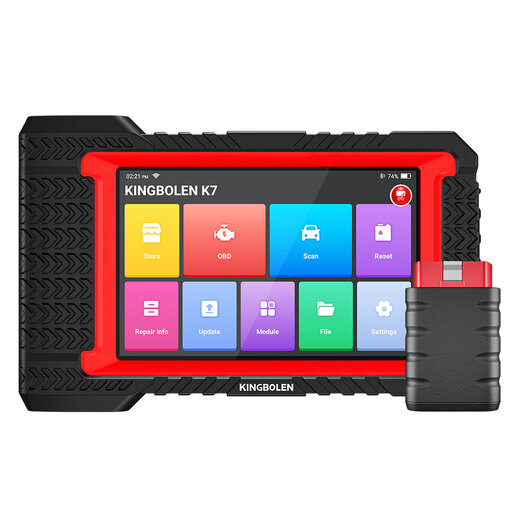
KINGBOLEN K7 All-System Diagnostic Scanner
Why This Fits Their Persona: Suitable for home mechanics, mobile mechanics and small workshops handling a variety of European, Asian and American vehicles.
Its listing states lifetime free updates, while separately noting that FCA AutoAuth registration must be purchased through the relevant service.
Bi-directional tests, ECU coding, 28 reset functions, CAN FD, DoIP and Bluetooth operation.
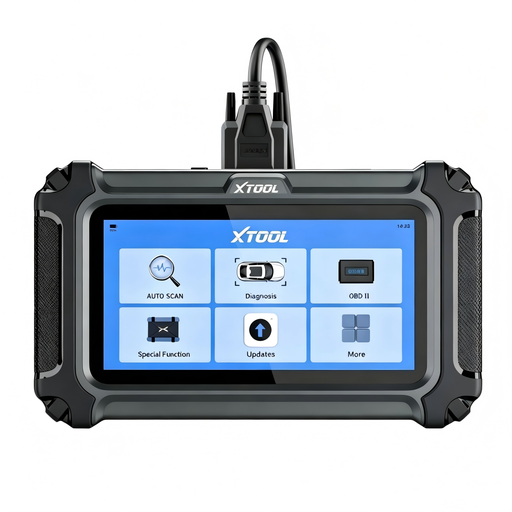
XTOOL D5S OBD2 Scanner
Why This Fits Their Persona: A handheld choice for driveway maintenance, used-car checks and owners who prefer a dedicated screen over a phone app.
It clearly states that FCA AutoAuth is not included and that reset availability depends on vehicle make, model and year.
16 reset functions, CAN FD, FCA support, live data graphing, Auto VIN and a 5.45-inch touchscreen.
Looking for More Options?
We have compiled a complete, real-time list of products that fully satisfy these strict selection criteria and UK safety regulations.
Frequently asked questions
Can I use a car diagnostic scanner on any vehicle?
No. Basic OBD2 functions may work across many compatible vehicles, but full-system scans, resets, coding and active tests depend on the vehicle’s make, model, engine, protocol and ECU. Check compatibility before ordering.
Do Bluetooth OBD2 scanners drain the car battery?
Some devices draw power while connected. Look for a stated sleep mode or disconnect the scanner when the vehicle is parked for extended periods. During coding or active tests, follow the manufacturer’s power and ignition instructions.
Are lifetime updates really free?
“Lifetime free updates” usually refers to the scanner’s stated software access, but manufacturer authorisation services may still involve separate registration or charges. Read the product terms and confirm whether advanced functions remain available after any included subscription period.