
Finding the Right Chromebook in the UK: Top Recommendations
Navigating the world of laptops can be a challenge. If you're looking for a device that is straightforward, secure and efficient for daily tasks, a Chromebook might be the perfect solution. Built around Google's ChromeOS, these laptops are designed for speed and simplicity, making them a popular choice for students, hybrid-working professionals and families across the UK.
Whether you're writing essays, managing spreadsheets, streaming your favourite shows or just need a reliable device for browsing, a Chromebook offers a streamlined experience. This guide is designed to help you understand the key features to look for and to highlight a few standout models that cater to different needs and budgets.
How to Choose a Chromebook: A Quick Guide
Before diving into specific models, let's cover a few key points to help you narrow down your search. Considering these factors will ensure you find a device that fits your lifestyle perfectly.
1. Standard, Plus or 2-in-1?
Chromebooks come in a few main varieties, each suited to different tasks:
- Standard Chromebooks: These are ideal for fundamental tasks like web browsing, email and word processing. They are typically the most affordable option.
- Chromebook Plus: For those who need more power, look for the Chromebook Plus UK badge. This new standard guarantees higher performance specifications, including more powerful processors, at least 8GB of RAM and 128GB of storage, along with enhanced AI-powered features.
- 2-in-1 Chromebook: Offering the ultimate flexibility, a 2-in-1 Chromebook combines a laptop and a tablet. With touchscreens and often detachable keyboards, they are perfect for creative work, presentations or simply relaxing with a film.
2. Performance and Storage
The processor, RAM and storage determine how smoothly your Chromebook runs. For most users, a model with 8GB of RAM is recommended for seamless multitasking. When it comes to storage, you'll see two main types: eMMC, which is common in entry-level models, and SSDs, which are much faster and typically found in Chromebook Plus devices. While ChromeOS is cloud-focused, having ample local storage is useful for offline files and apps.
3. Portability and Display
If you're always on the move, a lightweight laptop for travel is essential. Many Chromebooks weigh under 1.5kg and offer all-day battery life. For the display, a Full HD (1920x1080) resolution provides a sharp, clear picture that's great for both work and entertainment. An IPS panel is also a plus, as it offers better colour accuracy and wider viewing angles.
Top Chromebook Recommendations for You
Here are a few of our recommended Chromebooks, selected to cover a range of uses from everyday productivity to on-the-go versatility.
Lenovo IdeaPad Slim 3 Chromebook (Chromebook Plus)
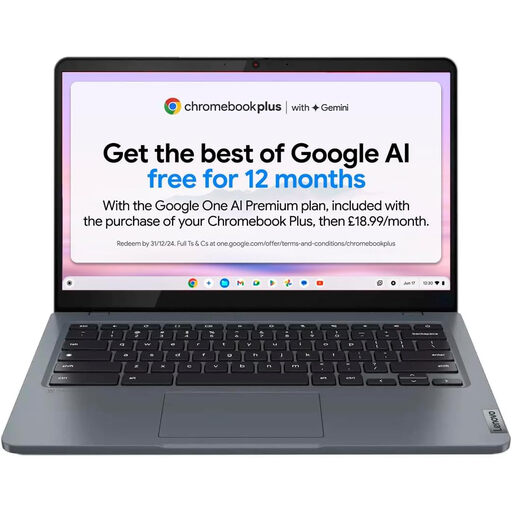
Why It Stands Out: The Lenovo IdeaPad Slim 3 is a fantastic all-rounder that carries the Chromebook Plus certification. It strikes an excellent balance between performance and value, pairing a capable Intel Core i3 processor with a generous amount of RAM and storage. It moves beyond basic eMMC storage, offering a much more responsive experience for everyday multitasking.
Pros:
- Processor: Intel Core i3-N305
- Memory:8GB LPDDR5 RAM
- Storage: 256GB eMMC
- Display: 14-inch Full HD (1920x1080) IPS anti-glare screen
- Battery: Up to 10 hours of use on a single charge
- Portability: Weighs just 1.5 kg
Who is it for? This is a great option for students and professionals who need a reliable and responsive Lenovo Chromebook for daily work, study and streaming without a hefty price tag.
View Details for the Lenovo IdeaPad Slim 3
Acer Chromebook Plus 514
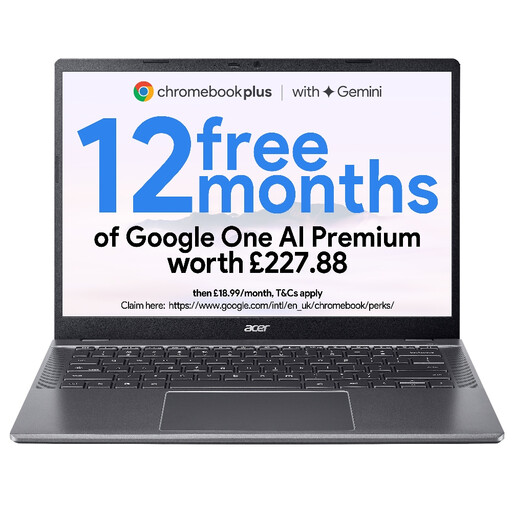
Why It Stands Out: The Acer Chromebook Plus 514 is engineered for users who demand more from their machine. It features a powerful Intel Core 5 processor, an exceptionally fast and large SSD and a high-resolution QHD camera for crystal-clear video calls. Its premium build and taller 16:10 display make it a productivity powerhouse within the ChromeOS ecosystem.
Pros:
- Processor: Intel Core 5 processor 120U
- Memory: 8GB LPDDR5 RAM
- Storage:512GB PCIe NVMe SSD
- Display: 14-inch WUXGA (1920x1200) IPS display with a 16:10 aspect ratio
- Camera: High-resolution QHD (1440p) webcam
- Connectivity: Wi-Fi 6E for ultra-fast wireless speeds
Who is it for? This device is aimed at professionals, creators and power users who need a fast, durable and feature-rich laptop for demanding web applications, heavy multitasking and high-quality video conferencing. It's a great find for those looking for premium Acer Chromebook deals.
View Details for the Acer Chromebook Plus 514
Lenovo Chromebook Duet 3 (2-in-1)
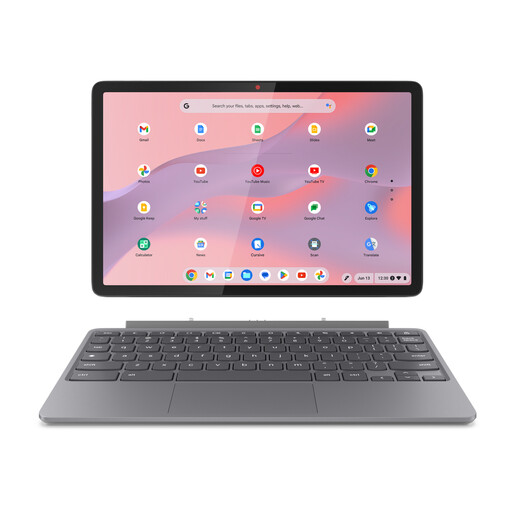
Why It Stands Out: The Lenovo Chromebook Duet 3 is the definition of versatility. This 2-in-1 Chromebook functions as both a compact laptop and a lightweight tablet, thanks to its detachable keyboard and folio kickstand. Its sharp 2K touchscreen and impressive battery life make it an excellent companion for work, creativity and entertainment on the go.
Pros:
- Form Factor: 2-in-1 detachable design
- Processor: Efficient Snapdragon 7c Gen 2
- Display: 10.9-inch 2K (2000x1200) IPS touchscreen
- Battery: Up to 12 hours of video playback
- Portability: The tablet weighs only 0.51 kg
- Cameras: 5MP front and 8MP rear cameras
Who is it for? Perfect for students who take notes digitally, frequent travellers or anyone who values maximum portability. If you need a device that adapts to your day, this is an outstanding choice for a lightweight laptop for travel.
View Details for the Lenovo Chromebook Duet 3
Looking for Other Options?
If these models aren't quite what you're looking for, don't worry. There is a wide range of devices available with different screen sizes, specifications and features.
Explore our full collection of netbooks to discover more Chromebooks and find the perfect one to suit your needs.
Frequently Asked Questions
Can you use a Chromebook without an internet connection?
Yes. While Chromebooks are designed to be used online, many functions are available offline. You can write and edit documents in Google Docs, manage your calendar and use a wide variety of Android and web apps without an active connection. Your work will automatically sync to the cloud once you reconnect to the internet.
Is a Chromebook a good choice for a student in the UK?
A Chromebook for students is often an excellent choice. They are generally more affordable than traditional laptops, offer long battery life for a full day of lectures and are highly secure. Their fast boot-up times and seamless integration with Google Workspace for collaboration make them ideal for research, writing assignments and group projects.
What is the difference between a Chromebook and a Chromebook Plus?
Chromebook Plus is a certified standard from Google that guarantees a higher level of performance and better features. To earn the Plus badge, a device must meet minimum requirements, including a more powerful processor (Intel Core i3 / AMD Ryzen 3 or better), at least 8GB of RAM, 128GB of storage and a Full HD (1080p) or better display. They also include enhanced AI-powered camera features and other software benefits.