
Finding Your Focus: Our Top Recommendations for a 24 Inch Office Monitor in 2026
As a Joybuy Product Recommendation Officer, my role is to help you navigate the crowded market of home office technology. Many of us spend a significant portion of our day in front of a screen, and the right monitor can make a substantial difference to our comfort and productivity. A subpar display can lead to eye fatigue, a cluttered desk and a frustratingly sluggish experience.
This guide is designed to cut through the marketing clutter. We will explore the key features to look for in a modern 24 inch office monitor and present a few carefully selected options that cater to the needs of today's professionals, remote workers and students in the UK.
What to Look for in a Modern Office Monitor
Choosing a monitor involves more than just screen size and resolution. Here are a few crucial factors to consider for a productive and comfortable workspace.
1. Beyond 60Hz: The Case for a Smoother Refresh Rate
For years, a 60Hz refresh rate was the standard for office displays. However, a 100Hz monitor for productivity offers a noticeably smoother visual experience. When you're scrolling through long documents, browsing complex websites or navigating spreadsheets, the higher refresh rate reduces motion blur and makes interactions feel more fluid and responsive. This small upgrade can significantly enhance your day-to-day user experience.
2. Streamlined Connectivity with USB-C
A cluttered desk can be a major distraction. A 24 inch monitor with USB-C is an elegant solution to this common problem. A single USB-C cable can replace three separate ones by transmitting video from your laptop, transferring data via the monitor's built-in USB hub and delivering power to charge your laptop simultaneously. This creates a cleaner, more efficient home office monitor setup.
3. Prioritising Comfort: Features for Reducing Eye Strain
Long hours at the desk demand a monitor that is kind to your eyes. Look for displays with flicker-free technology, which eliminates the invisible screen flicker that is a common cause of eye fatigue. Additionally, advanced low blue light modes are essential. Some monitors feature hardware-based solutions, such as Dell ComfortView Plus, which reduce harmful blue light emissions at the source without distorting screen colours with a yellow tint. An ergonomic computer monitor with adjustable height, tilt and swivel also allows you to maintain a healthy posture throughout the workday.
Our Top Recommendations for a 24 Inch Office Monitor in 2026
Based on the features that matter most for productivity and comfort, here are our recommendations.
DELL P2425H 24 Inch Full HD 100Hz Monitor
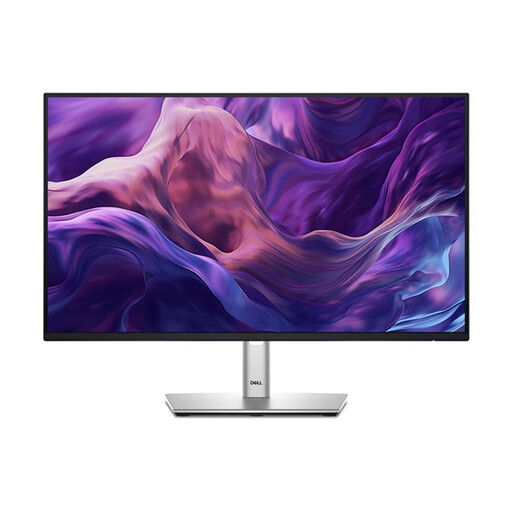
Why It Stands Out: This monitor is a purpose-built workhorse for the modern professional. It combines a smooth 100Hz refresh rate with a comprehensive set of features focused on productivity and well-being, making it an exceptional all-rounder.
Pros:
- Smooth Visuals: The 100Hz refresh rate provides a fluid experience for everyday tasks.
- Excellent Eye Comfort: Features ComfortView Plus, a hardware-based low blue light solution that reduces eye strain without colour distortion.
- Versatile Connectivity: Includes USB-C, DisplayPort, HDMI and even VGA for broad compatibility.
- Fully Ergonomic: The stand offers height, tilt, swivel and pivot adjustments for a perfectly customised setup.
Who is it for? This monitor is ideal for office professionals, remote workers and students who spend long hours on documents, spreadsheets and web browsing. It's for those who prioritise a comfortable, efficient and clutter-free workspace.
ASUS ProArt PA248CNV IPS WUXGA Monitor
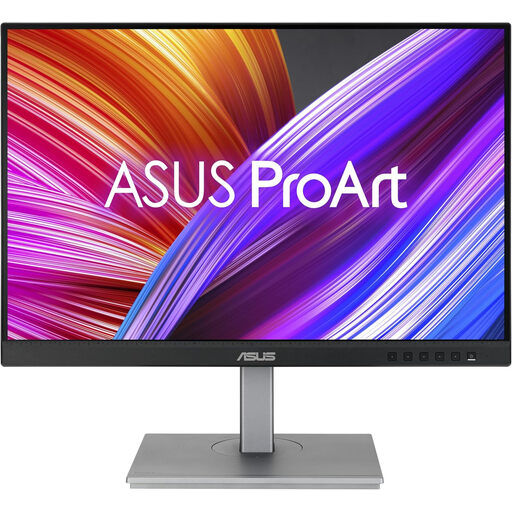
Why It Stands Out: The ASUS ProArt PA248CNV offers more than a standard office display. Its 16:10 aspect ratio provides extra vertical screen space, and its factory-calibrated colour accuracy makes it suitable for creative work alongside general productivity.
Pros:
- More Vertical Space: The 1920 x 1200 resolution is taller than standard Full HD, perfect for viewing documents or code.
- Dependable Colour: Calman Verified with 100% sRGB coverage for accurate and consistent colours.
- Powerful Hub: Features a USB-C port with 90W power delivery, a USB hub and an RJ45 Ethernet port, turning the monitor into a complete docking station.
- Flexible Setup: Supports DisplayPort daisy-chaining to easily connect a second monitor.
Who is it for? This is for the user who needs more screen real estate for tasks like programming or writing, or the professional who requires reliable colour accuracy for graphic design or photo editing in addition to their daily office work.
LG UltraGear Gaming Monitor 24GS60F
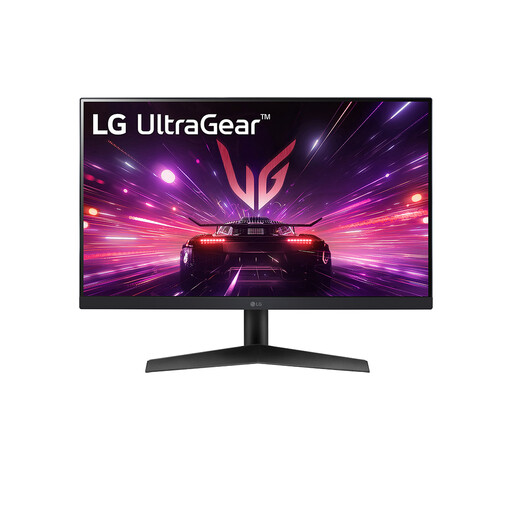
Why It Stands Out: While positioned for gaming, the high-end specifications of the LG UltraGear 24GS60F translate into an exceptionally high-performance display for any task. Its incredibly high refresh rate delivers unparalleled smoothness.
Pros:
- Exceptional Smoothness: A 180Hz refresh rate provides incredibly fluid motion for everything from gaming to simply moving your cursor.
- Vibrant IPS Panel: The IPS display offers great viewing angles and vivid colours with sRGB 99% coverage.
- Fast Response Time: The 1ms response time ensures that on-screen action is crisp and free from ghosting.
- Gaming Ready: NVIDIA G-Sync and AMD FreeSync compatibility ensure tear-free gaming performance.
Who is it for? This monitor is for the mixed-use individual—the remote worker or student who is also a passionate gamer. It offers top-tier performance for after-hours entertainment without compromising on the quality needed for productive work.
Looking for Other Options?
Every workspace has unique requirements. If these recommendations don't quite match what you're looking for, or if you'd like to compare other models, we invite you to explore our complete collection.
️ Browse our full range of 24-inch monitors
Frequently Asked Questions
Q1: Is a 100Hz refresh rate noticeably better for office work? A: For many users, yes. While 60Hz is functional, a 100Hz refresh rate makes scrolling through documents, web pages and even general navigation feel much smoother and more responsive. This can contribute to a more pleasant and less jarring user experience during a long workday.
Q2: What is the most important feature in a monitor for eye strain? A: A combination of features is key. The most critical are a 'flicker-free' backlight and an effective low blue light mode. Hardware-based low blue light technologies are often preferable as they reduce harmful blue light without adding a noticeable yellow tint to the screen. Good ergonomics, allowing you to position the screen at a comfortable height and angle, are also vital for reducing physical strain.
Q3: Is a 24-inch monitor a good size for a home office? A: A 24 inch monitor is a very popular and practical choice for most home office setups. It provides ample screen real estate for multitasking, such as having two documents open side-by-side, while remaining compact enough to fit on smaller desks without feeling overwhelming.