
Finding Your Perfect Android Tablet with Keyboard and Stylus: Our Top Recommendations for 2026
The search for a single device that can handle work, study, creative pursuits and entertainment can be a challenge. Laptops offer power but can be cumbersome, while standard tablets often require expensive, separately purchased accessories. This is where the 2-in-1 android tablet comes in—a versatile and affordable solution that bundles everything you need straight out of the box.
As a Joybuy Product Recommendation Officer, my role is to help you navigate the options. This guide is designed to provide practical advice and highlight some noteworthy models that offer a complete package, helping you find a device that fits your needs and budget without the marketing hype.
How to Choose the Right Android Tablet Bundle
Before diving into specific products, let's consider a few key features. Focusing on these aspects will help you select a tablet that truly works for you.
1. Screen Size and Quality
The display is your primary window into everything you do. For tasks like digital art or managing multiple documents, a large screen android tablet (11 inches or more) with a high resolution (like 2K) provides ample space and clarity. For general use and portability, a 10-inch screen is often a practical and comfortable choice. Look for IPS (In-Plane Switching) technology, which ensures good colour accuracy and wide viewing angles.
2. Performance and Storage
A tablet's responsiveness depends on its processor and memory (RAM). Most modern devices feature octa-core processors, which are well-equipped for multitasking. Pay attention to RAM—8GB is a solid baseline for smooth performance. Some models offer virtual RAM expansion, which borrows from storage to give you an extra boost for demanding applications. For storage, 256GB is a generous amount for apps, documents and media, but having a TF card slot for expansion provides valuable flexibility. An Android 15 tablet will also offer the latest software features and security updates.
3. Connectivity Options
How you connect to the internet is crucial. While all tablets offer Wi-Fi, support for dual-band (2.4G/5G) Wi-Fi provides a more stable and faster connection. For those who need to work or study on the move, a tablet with sim card slot 4g is invaluable. It allows you to stay connected anywhere without having to rely on public Wi-Fi networks, making it a great option for commuters, students and remote workers.
Our Top Recommendations for 2026
Here are a few Android tablets that come with a keyboard and stylus, selected for their combination of features, performance and overall value.
TECLAST ArtPad Pro Tablet
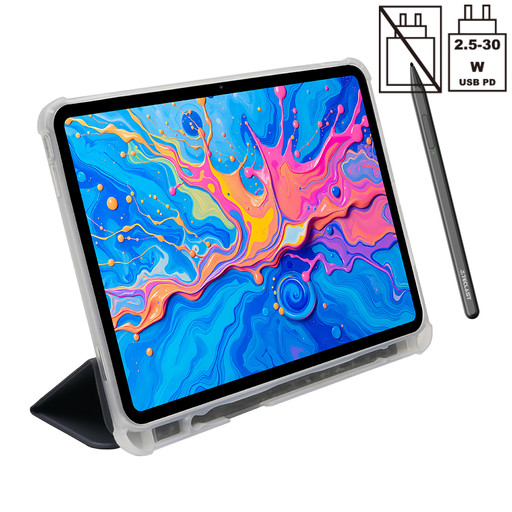
Why It Stands Out: The ArtPad Pro is built for creators and multitaskers. Its expansive 12.7-inch 2K display offers a large canvas for drawing and a cinematic view for entertainment. The included stylus supports 4096-level pressure sensitivity, providing precise control for detailed artwork and note-taking.
Pros:
- Large, high-resolution screen ideal for creative work and media.
- Excellent stylus performance for a budget drawing tablet.
- Substantial 10,000mAh battery for extended use.
- Dual SIM 4G LTE and 5G Wi-Fi for versatile connectivity.
Who is it for?: This is an excellent choice for digital artists, students who take extensive notes and anyone who wants a large, immersive screen for watching films or managing documents.
View Details for the TECLAST ArtPad Pro
TABWEE T20 Tablet
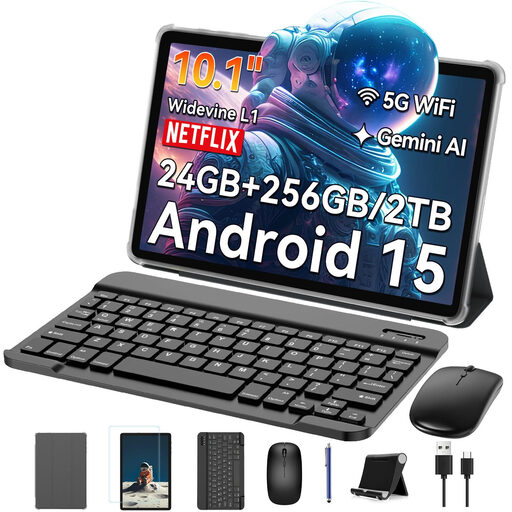
Why It Stands Out: The TABWEE T20 is a complete productivity package at an accessible price point. It includes not only a keyboard and stylus but also a mouse, making it ready for work or study straight away. Its significant RAM expansion capability makes it a strong performer for multitasking.
Pros:
- All-in-one bundle includes keyboard, mouse and stylus.
- Up to 24GB of expandable RAM (8GB physical + 16GB virtual) for heavy multitasking.
- Storage is expandable up to 2TB via a TF card.
- Lightweight and portable 10.1-inch design.
Who is it for?: An ideal tablet for students, families or professionals looking for an all-inclusive, affordable device that can be set up for productivity in minutes.
View Details for the TABWEE T20 Tablet
Blackview Zeno 10 Tablet
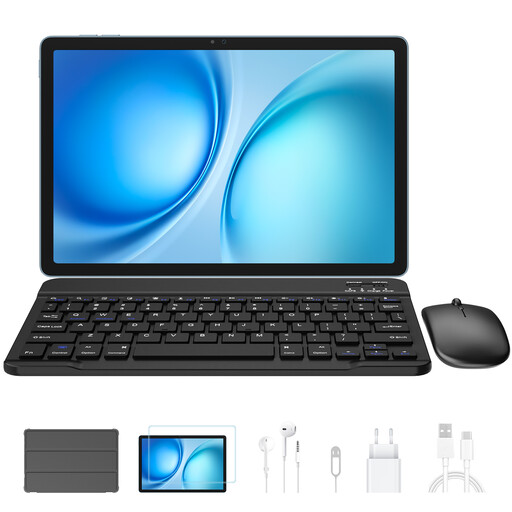
Why It Stands Out: The Blackview Zeno 10 strikes a fine balance between performance, display quality and mobility. The 11-inch 2K screen features a 90Hz refresh rate for smoother scrolling and animations, while the PC Mode transforms the interface into a more familiar desktop-like environment, boosting its credentials as a tablet for work and study.
Pros:
- Smooth 90Hz refresh rate on its 11-inch 2K display.
- PC Mode for a laptop-like user experience.
- Strong connectivity with Dual SIM 4G and Wi-Fi 5.
- A solid 8800mAh battery with 18W fast charging.
Who is it for?: This tablet is well-suited for mobile professionals and users who want a fluid, responsive experience and the flexibility of a desktop-style interface for productivity tasks.
View Details for the Blackview Zeno 10 Tablet
Looking for Other Options?
The models above represent a great starting point, but the market is full of different configurations. If you are looking for a different screen size, specific features or perhaps just a keyboard to pair with a tablet you already own, there are many other choices available.
Explore our wider selection of tablet keyboard bundles and accessories to find the perfect match for your needs.
Frequently Asked Questions
Can an Android tablet with a keyboard replace a laptop?
For many common tasks—such as writing documents, managing emails, browsing the web and attending video calls—an Android tablet with a keyboard is a very capable replacement. They are more portable and often more affordable. However, for specialised software (like advanced video editing or certain programming environments) or intensive processing, a traditional laptop may still be necessary.
What should I look for in an affordable tablet with a pen for drawing?
When choosing an affordable tablet with pen for creative work, the most important feature is pressure sensitivity. Look for a stylus that offers at least 4096 levels of pressure, as this allows for fine control over line thickness and opacity. A larger, high-resolution screen and minimal lag between the pen and the display are also key factors for a good drawing experience.
Is it worth getting a tablet with a 4G SIM card slot?
A tablet with a SIM card slot 4G is highly recommended if you frequently need internet access away from home or the office. It is perfect for commuters, students who study in various locations, field workers and anyone with unreliable home Wi-Fi. It provides the freedom to stay connected, productive and entertained without having to hunt for a secure Wi-Fi hotspot.