
A4 Printer Paper Buying Guide: How to Choose the Right Sheets for Every Print Job
Buying A4 printer paper seems straightforward until sheets jam, ink shows through the reverse side or a colourful document looks dull. For UK offices, schools, home users and marketing teams, the lowest price per ream is not always the lowest overall cost if unsuitable paper causes misprints and waste.
This guide explains the practical specifications to check before buying A4 copier paper, from everyday 80gsm printer paper to heavier stock for presentations. It also highlights suitable options for different printing needs.
Common A4 Printer Paper Buying Traps
1. Assuming every A4 sheet works in every printer
A4 only describes the sheet size: 210 × 297mm. It does not guarantee compatibility with every laser printer, inkjet printer, copier or multifunction device.
Some paper is designed primarily for laser printers and copiers, while other stock is suitable for both laser and inkjet printing. Always check the product description and your printer manual, particularly if you use automatic duplex printing or a compact home printer.
2. Choosing by price without checking the pack size
A single ream usually contains 500 sheets, but boxes may contain several reams. Comparing the shelf price alone can make a smaller pack appear cheaper. Calculate the cost per 500 sheets before choosing between individual paper reams and bulk printer paper.
Bulk buying can reduce replenishment work for busy offices and schools, but only if you have dry storage and a regular demand for the same paper type.
3. Treating colour and weight as interchangeable
Coloured paper can make notices and leaflets easier to identify, but it is not automatically suitable for detailed colour images. Similarly, higher grammage can create a more substantial feel, but some printers have limits for thicker stock.
For routine documents, 75gsm printer paper or 80gsm printer paper may be practical. For presentation pages, 120gsm printer paper can provide a sturdier finish, subject to your printer’s feed specifications.
Core Specifications to Check
Grammage: 75gsm, 80gsm or 120gsm
Grammage refers to the weight of paper per square metre.
- 75gsm printer paper: A lighter option for high-volume letters, forms, reports and internal documents. It can help reduce paper consumption by weight, provided it feeds reliably in your equipment.
- 80gsm printer paper: A common everyday choice for office printing, schoolwork, notices and general copying. It offers a balance between handling and cost.
- 120gsm printer paper: A heavier option for brochures, presentation pages, menus and promotional documents. Check that your printer or copier supports this weight.
The grammage does not tell you everything about print quality. Opacity, whiteness, coating and surface smoothness also affect how text and images appear.
Printer compatibility
For everyday office printer paper, look for stated compatibility with the equipment you use. Laser printer paper is generally specified for toner-based devices, while inkjet paper may be formulated to manage liquid ink. Multi-purpose paper can be useful where a workplace shares paper between laser printers, inkjets, copiers and multifunction devices.
If you regularly print on both sides, check for good opacity. This reduces the distraction of text showing through from the reverse side.
Colour, finish and sustainability information
White A4 paper is the standard for invoices, reports and formal correspondence. Coloured A4 paper is useful for separating departments, highlighting action points or creating attention-grabbing flyers.
A matt surface is generally less reflective for reading. A coated or glossy surface may change the appearance of colours, but it should be confirmed as suitable for your particular printer.
For recycled and eco-friendly printer paper, look for specific information such as the EU Ecolabel, FSC certification or a stated recycled or biodegradable material feature. These terms relate to different criteria, so read the product listing rather than assuming that every “green” description means the same thing.
Our Top Recommendations by User Profile
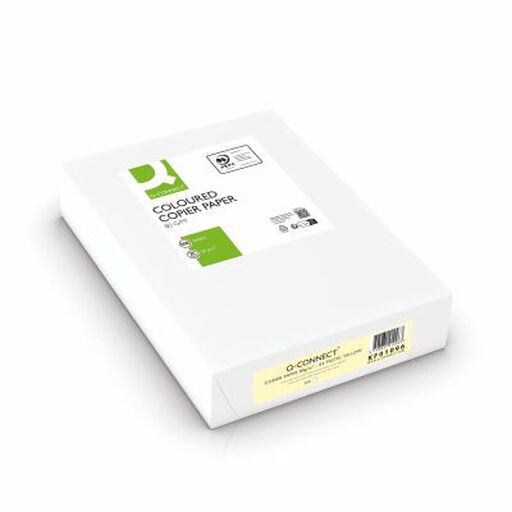
Q-Connect Yellow A4 Copier Paper 80gsm Ream (Pack of 500)
Why This Fits Their Persona: A practical one-ream option for home users, classrooms and small offices that need coloured sheets without committing to a multi-ream box.
The listing specifies A4 size, 80gsm weight and use with laser printers and copiers, helping buyers check compatibility before ordering.
Pastel yellow colour, 500-sheet ream and smooth 80gsm surface for flyers, notices and internal documents.
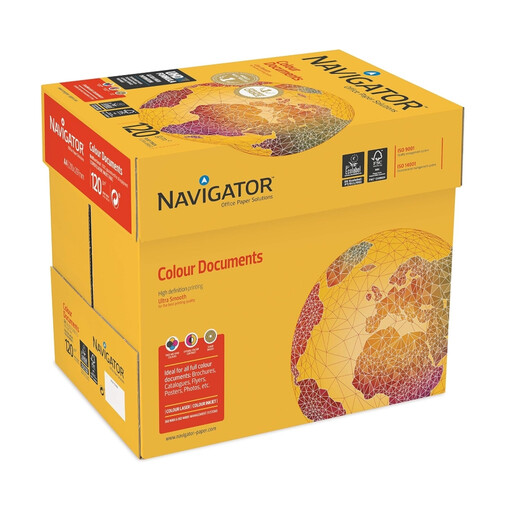
Navigator A4 Colour Documents Printer Paper White 120gsm Box of 8 Reams
Why This Fits Their Persona: Suitable for marketing teams and professionals producing brochures, presentation pages and other documents where a heavier feel matters.
Its stated 120gsm specification makes the weight clear, while compatibility with inkjet and laser printers supports mixed-device workplaces.
Smooth matt finish, 169 CIE whiteness, FSC certification and EU Ecolabel approval.
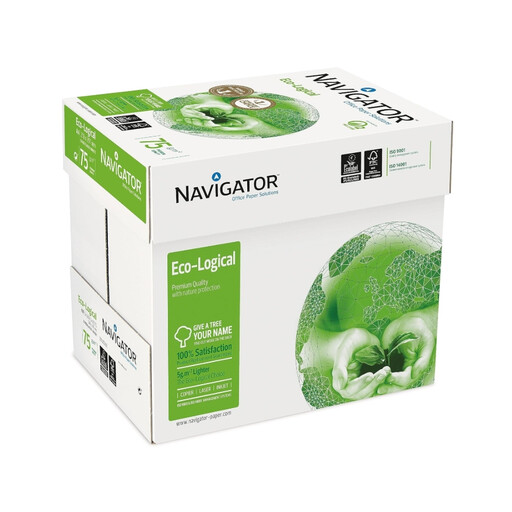
Navigator A4 Eco Paper White 75GSM Box of 5 Reams
Why This Fits Their Persona: A high-volume choice for offices, schools and procurement teams that need white paper across laser, inkjet, copier and multifunction devices.
The box contains five 500-sheet reams, making the total quantity clear. Its stated 75gsm weight also helps buyers compare cost and paper consumption consistently.
Bright white matt finish, stated 93% opacity, EU Ecolabel certification and 2,500 sheets per box.
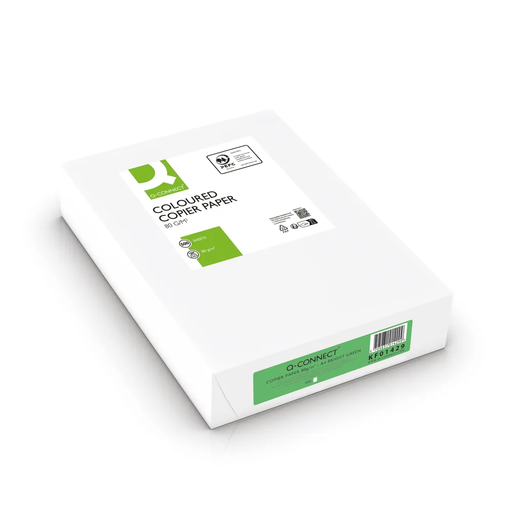
Q-Connect Bright Green Coloured A4 Copier Paper 80gsm Ream (Pack of 500)
Why This Fits Their Persona: Marketing teams, event organisers and schools can use bright green sheets for flyers, posters, leaflets and colour-coded communications.
The listing identifies the paper as 80gsm and intended for laser printers and copiers, rather than leaving the technical suitability unclear.
Bold green colour, 500-sheet ream and stated recyclable material feature for promotional printing.
Storage and Everyday Handling Tips
Keep paper sealed in its original packaging until needed, then store it in a cool, dry place away from radiators, damp cupboards and direct sunlight. Moisture can affect feeding and cause sheets to stick together.
Before loading a printer:
- Check the tray guides are aligned with the A4 edges.
- Fan the ream lightly if the manufacturer permits it.
- Do not exceed the tray’s stated capacity.
- Select the correct paper weight or media setting in the print driver.
- For 120gsm stock, use the printer’s manual or multi-purpose feed if recommended.
These steps can help reduce misfeeds, especially when using heavier presentation paper or paper stored for a long period.
Looking for More Options?
We have compiled a complete, real-time list of products that fully satisfy these strict selection criteria and UK safety regulations.
Frequently Asked Questions
Is 75gsm or 80gsm paper more suitable for everyday printing?
Both can be suitable for routine documents. 80gsm printer paper is a widely used general-purpose option, while 75gsm paper is lighter and may suit high-volume printing where lower paper weight is a consideration. Check opacity and device compatibility as well as price.
Can A4 paper be used in both laser and inkjet printers?
Only if the listing states compatibility with both technologies. Some laser printer paper is intended for toner-based devices, while inkjet printing uses liquid ink. Multi-purpose paper, such as the Navigator 75gsm option listed above, is specified for laser, inkjet, copier and multifunction equipment.
How long can unused printer paper be stored?
There is no universal lifespan for paper. Properly sealed and stored sheets can remain usable for an extended period, but dampness, heat and dust can affect feeding and print results. Buy bulk printer paper only when you have suitable storage and predictable usage.