
How to Choose the Right A4 Paper Box and Avoid Costly Mistakes
As a Joybuy Product Recommendation Officer, I often see office managers and small business owners facing a seemingly simple task: ordering a new A4 paper box. Yet, this decision is fraught with potential pitfalls. The wrong choice can lead to constant printer jams, faded prints and wasted budgets. Marketing terms can be confusing, and what seems like a bargain often results in frustration.
This guide cuts through the clutter. We will focus on the essential factors for selecting reliable, high-performing A4 printer paper and highlight common traps to avoid, ensuring you get the right product for your needs without overpaying.
The 2 Hidden Traps of Buying Bulk A4 Paper
Before you add that bulk A4 paper to your basket, be aware of these common issues that can cost you time and money:
- The "All-Purpose" Myth: Many papers are labelled as "multipurpose," but this can be misleading. A paper that works adequately in a high-speed laser copier might cause ink to bleed or smudge in an inkjet printer. This incompatibility leads to wasted sheets, unprofessional documents and potential damage to your equipment. True multipurpose paper should have verified compatibility across different printer types.
- Ignoring Paper Weight for Cost: Opting for the cheapest, lightest paper available to save a few pounds is a false economy. Very low-weight paper (below 75gsm) is more prone to jamming in high-volume machines and often has poor opacity, making double-sided printing look messy and unprofessional. The cost of wasted time, ink and reprints quickly outweighs the initial savings.
Core Parameters: What to Check Before You Buy
To make an informed choice, focus on these three key specifications. They determine the performance, look and feel of your printed documents.
1. Paper Weight (GSM)
GSM stands for 'Grams per Square Metre' and is the single most important indicator of a paper's quality and durability.
- 70-75gsm: A lighter-weight option suitable for high-volume internal drafts and everyday copying. It uses fewer resources but may be less opaque and not ideal for all printers.
- 80gsm: This is the industry standard for office paper A4. An 80gsm copier paper provides an excellent balance of thickness, opacity and reliability. It is robust enough for double-sided printing and performs consistently in most laser and inkjet printers.
- 100-120gsm: A heavier, more premium weight. This paper has a substantial feel, excellent opacity, and is ideal for important external documents, presentations, brochures and high-quality colour printing where impression matters.
2. Whiteness (CIE) and Opacity
The 'whiteness' of paper, often measured on the CIE scale, affects the contrast and vibrancy of your print. A higher CIE value (e.g., 160-170) results in a brighter, crisper white A4 paper that makes black text sharper and colours pop.
Opacity is just as crucial, especially for double-sided printing. A paper with high opacity prevents the ink from showing through on the other side, ensuring documents look clean and professional. For most office tasks, an opacity of 90% or higher is recommended.
3. Finish and Smoothness
The paper's finish impacts how it feeds through your printer and how ink or toner settles on its surface. An "ultra-smooth" finish is not just a marketing term; it means the paper has a more uniform surface, which can significantly reduce the likelihood of paper jams and improve the sharpness of the final print. This is particularly important for businesses that rely on uninterrupted, high-volume printing.
Recommended A4 Paper Boxes
Based on these practical criteria, we have matched several products to common user needs. These selections are chosen for their reliable performance and suitability for specific office environments.
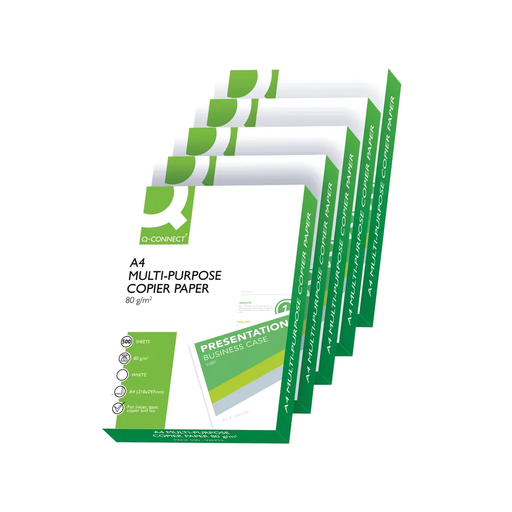
Q-Connect White A4 80gsm Copier Paper (2500 Pack)
Why This Fits Their Persona: For a busy office, school or print room, reliability and cost-per-page are paramount. This 5 reams A4 paper box provides a large volume of standard 80gsm copier paper, minimising the need for frequent re-ordering and keeping operational costs down.
It avoids the trap of being too lightweight. At 80gsm, it is robust enough for high-speed copiers and double-sided printing, reducing the jams and waste associated with cheaper, flimsier paper.
Its silky smooth finish is designed for high runnability, ensuring consistent performance in printers and copiers. The high opacity minimises bleed-through for clean, professional results.
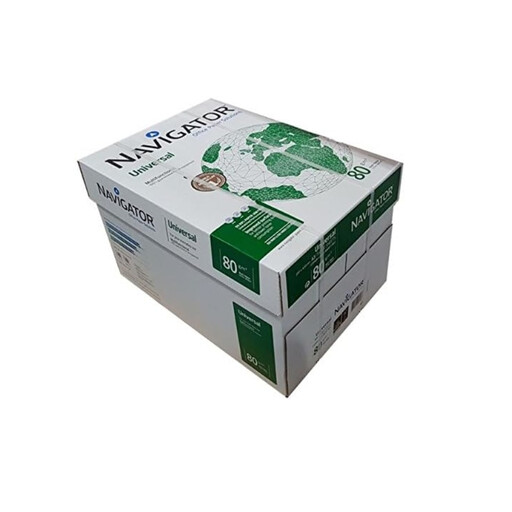
Navigator A4 Universal Paper White 80gsm Box of 5 reams
Why This Fits Their Persona: Small businesses and consultants who produce client-facing reports and proposals need paper that reflects their professionalism. This paper is engineered for high-definition results, making it ideal for documents where clarity and feel are important.
It counters the "all-purpose" myth by being specifically engineered for performance. According to the manufacturer, it is 100% guaranteed for all printers and copiers and features smart ink absorption for superior results on inkjet devices.
Its ultra-smooth finish not only enhances the professional feel but also contributes to a 99.99% jam-free claim, improving office efficiency. It delivers sharper text and more vibrant colours.
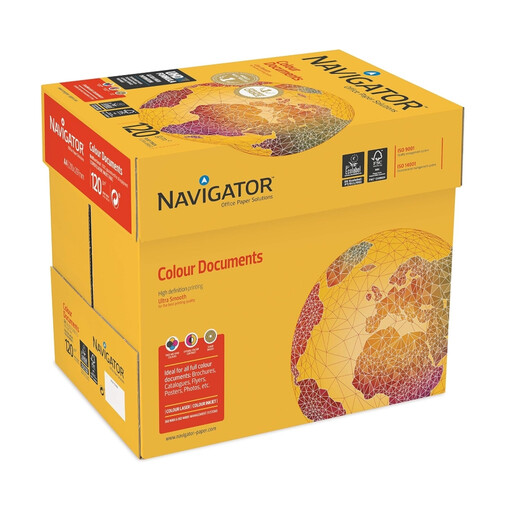
Navigator A4 Colour Documents Printer Paper White 120gsm
Why This Fits Their Persona: For marketing departments, design agencies or any business producing high-impact colour documents like brochures and presentations, standard paper won't suffice. This heavyweight 120gsm paper is specifically designed for this purpose.
This paper avoids the trap of using standard 80gsm paper for colour-intensive jobs. Its heavyweight construction and high opacity prevent ink bleed and show-through, ensuring vibrant, professional-quality colour prints.
The combination of a heavyweight 120gsm build, a high 169 CIE whiteness and an ultra-smooth finish delivers superior colour contrast and image sharpness on both laser and inkjet printers.
Looking for More Options?
We have compiled a complete, real-time list of products that fully satisfy these strict selection criteria and UK safety regulations.
Frequently Asked Questions
What does 'gsm' mean for A4 paper and which should I choose?
GSM (Grams per Square Metre) measures paper density. For everyday internal office use, 75gsm is adequate. For reliable, all-round performance in most printers and for double-sided printing, 80gsm copier paper is the recommended standard. For high-quality presentations or external documents, 100-120gsm provides a more premium feel and better colour output.
Can I use any A4 paper in both my laser and inkjet printer?
Not always. While many papers are marketed as multipurpose, their performance can vary. Laser printers use heat to fuse toner, while inkjet printers spray liquid ink. A paper with a very smooth or coated surface might not absorb ink well, causing smudging. Conversely, a paper that is too absorbent can cause feathering. For true flexibility, look for paper specifically stated to be compatible with both technologies, like the Navigator Universal 80gsm.
How should I store a bulk A4 paper box to prevent curling and jams?
Proper storage is key to preventing paper-related printer issues. Keep your A4 paper box in a cool, dry place, away from direct sunlight or damp environments. Moisture is the main cause of paper curling and sticking together, which leads to jams. It is best to keep the reams in their original wrappers until you are ready to load them into the printer.