
Choosing Your 256GB microSD Card: Our Top Recommendations for 2026
From expanding your phone's storage to loading games faster on your handheld console, a 256GB microSD card offers a significant upgrade in capacity and convenience. However, the market is filled with technical jargon like U3, V30 and A2, which can make choosing the right card a confusing task. A card that works perfectly for a 4K action camera might not be the most cost-effective choice for simply storing photos on your phone.
As the Joybuy Product Recommendation Officer, my role is to help you navigate these specifications. This guide will clarify what those ratings mean and provide practical advice to help you select a 256GB microSD card that fits your specific device and needs.
How to Choose the Right 256GB microSD Card
Before looking at specific products, understanding a few key features will ensure you get the performance you expect.
1. Understand Speed Classes for Video Recording
If you plan to record high-quality video, especially 4K, the card's sustained write speed is critical. Look for these two ratings:
- UHS Speed Class (U): Indicated by a U with a number inside (U1 or U3). For smooth 4K video recording, a U3 rating is highly recommended, as it guarantees a minimum write speed of 30MB/s.
- Video Speed Class (V): Shown as V followed by a number (e.g., V30, V60). A V30 rating also signifies a 30MB/s minimum write speed, making it a reliable choice for a microSD card for 4K video on drones or a GoPro memory card.
2. Check Application Performance for Phones and Consoles
If you intend to run applications or games directly from the card, the Application Performance Class is what you need to check.
- A1 and A2 ratings measure a card's ability to handle random read/write operations, which affects how quickly apps open and run. An A2-rated card offers significantly faster performance than A1, making it an excellent choice for a 256GB memory card for your phone or a memory card for the Nintendo Switch or Steam Deck, where loading times are important.
3. Match the Card to Your Device
Always check the specifications of your device. Some older devices may not support capacities as large as 256GB. Similarly, to benefit from a high speed microSD card, your device must be able to support those speeds. For example, to achieve the maximum potential of a microSD Express card, the host device (like a laptop or future console) must have a compatible microSD Express slot.
Our Top Recommendations for 256GB microSD Cards in 2026
Here are our recommendations, selected to meet the needs of different users, from everyday smartphone owners to dedicated gamers and content creators.
For Everyday Use and Android Devices
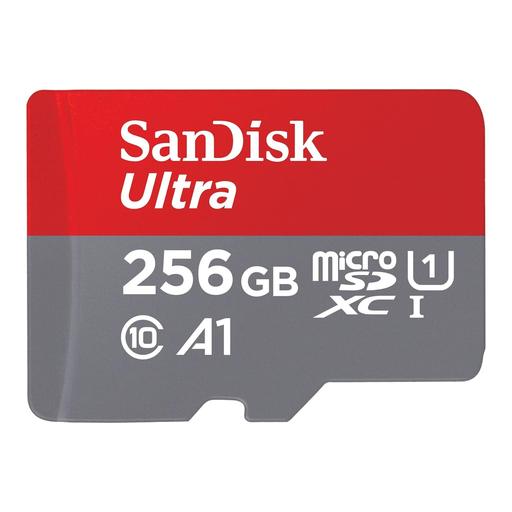
SANDISK Ultra microSDXC 256GB + SD Adapter
Why It Stands Out: The SanDisk Ultra is a dependable all-rounder that provides a great balance of speed, capacity and value. With read speeds of up to 150MB/s, transferring photos and videos to your computer is quick and efficient.
Its A1 rating ensures that apps stored on the card load faster than on standard cards, improving the overall responsiveness of your smartphone or tablet. It's a straightforward and reliable storage expansion for your digital life.
Pros:
- Excellent transfer speeds for moving large files quickly.
- A1-rated for improved app performance on Android devices.
- Includes an SD adapter for wider compatibility with cameras and laptops.
Who is it for? This card is ideal for Android smartphone and tablet users who need more space for photos, Full HD videos and apps, and want a noticeable performance boost without paying for professional-grade features.
For High-Performance Gaming
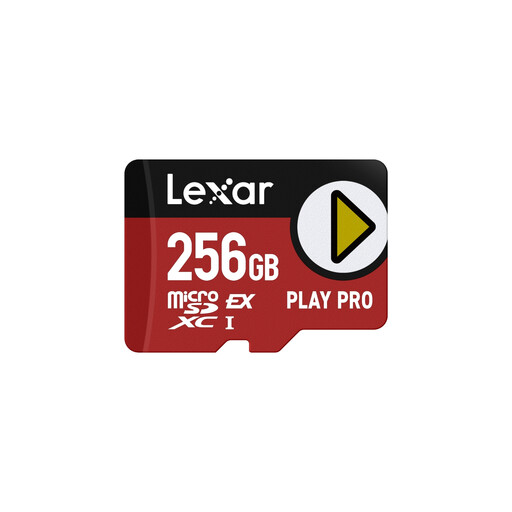
Lexar PLAY PRO MicroSDXC Express Card 256GB
Why It Stands Out: The Lexar PLAY PRO is built for the next generation of gaming. It utilises the microSD Express interface to deliver read speeds of up to 900MB/s and write speeds of up to 600MB/s in compatible devices. This dramatically reduces game loading times and file transfers.
Even in current devices like the Nintendo Switch or Steam Deck, its A2 rating provides a superior experience for loading and running games directly from the card. It's also backwards-compatible with standard UHS-I slots, ensuring it works with your current gear while being ready for the future.
Pros:
- Exceptional read/write speeds with microSD Express compatible devices.
- A2 rating for faster game and app loading on consoles and phones.
- Future-proof technology that is also compatible with older devices.
Who is it for? This is the card for serious gamers using a Steam Deck, Nintendo Switch or other portable gaming device. It's particularly suited for those who want to minimise loading screens and prepare their storage for future high-speed hardware.
For 4K Video and Action Cameras
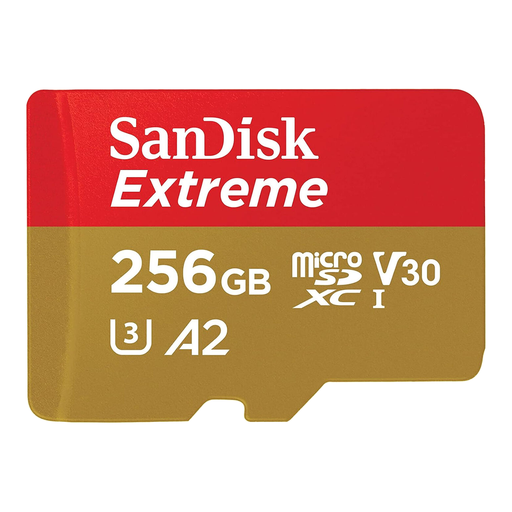
SANDISK Extreme microSDXC 256GB + SD Adapter
Why It Stands Out: The SanDisk 256GB microSD Extreme model is engineered for demanding conditions. Its key strength lies in its high write speed of up to 130MB/s and its V30 and U3 speed class ratings. This combination ensures smooth, uninterrupted capture of 4K UHD video, making it a top choice for action cameras, drones and professional videography.
Furthermore, its rugged build is shockproof, waterproof and temperature-proof, providing peace of mind that your footage is safe during adventurous shoots. The A2 rating also makes it a high-performance option for running demanding apps on a smartphone.
Pros:
- High write speeds ideal for 4K video and fast-action burst photography.
- V30 / U3 rated for reliable, high-quality video recording.
- Durable, rugged construction for use in extreme environments.
- A2 rating for fast application performance.
Who is it for? Content creators, drone pilots and adventurers using a GoPro or other action camera will find this card's speed and durability essential for capturing high-resolution content without compromise.
Looking for Other Options?
If these recommendations don't quite fit your needs, or if you're searching for a different capacity, there are many other models available.
️ Explore our full range of TF cards on Joybuy to find the perfect storage solution.
Frequently Asked Questions (FAQ)
1. What is the real-world difference between A1 and A2 on a microSD card? The Application Performance Class (A1 and A2) measures a card's random input/output operations per second (IOPS). An A2-rated card is required to deliver significantly higher random read and write IOPS than an A1 card. In practice, this means apps and games stored on an A2 card will generally launch faster and feel more responsive, which is especially noticeable on devices like the Steam Deck or an Android phone.
2. Can I use any 256GB microSD card for my Nintendo Switch? While most 256GB microSD cards will work for storing games on a Nintendo Switch, performance can vary. For the best experience, it is advisable to choose a card with at least a UHS Speed Class 1 (U1) rating. However, for faster game loading times, a card with an A1 or, even better, an A2 rating is recommended. All the cards featured in this guide are suitable for use with the Nintendo Switch.
3. Is a high speed microSD card necessary for a smartphone? It depends on your usage. If you only use the card to store photos and music, a standard card like the SanDisk Ultra will perform well. However, if you plan to install apps on the card or record 4K video directly to it, a high speed microSD card with an A2 rating and a V30 video speed class, such as the SanDisk Extreme, will provide a much smoother and more reliable experience.